Dave, are you giving away my photo ideas???…..”shine”……..
Oh, I shoulda got a photo showing what Bob baatfam was passing around last night.


This forum allows conversation on non-controversial topics, therefore no politics or religion. "The Campfire" is an area meant for casual, civil discussions. Deliberate anti-social activity including personal insults, profanity, pornography, racism, threats and purposely inflammatory posts may result in suspension of forum access or possibly a permanent ban from GSR.
The words insight and incite are pronounced the same. But one of them will get you banned and the other will not. Before hitting the Submit button be certain which of the two better describes your post.
Required reading for all forum users!!!
Welcome!
Register to access the full functionality of the GSResources forum. Until you register and activate your account you will not have full forum access, nor will you be able to post or reply to messages.
A note to new registrants...
All new forum registrations must be activated via email before you have full access to the forum.
A Special Note about Email accounts!
DO NOT SIGN UP USING hotmail, outlook, gmx, sbcglobal, att, bellsouth or email.com. They delete our forum signup emails.
A note to old forum members...
I receive numerous requests from people who can no longer log in because their accounts were deleted. As mentioned in the forum FAQ, user accounts are deleted if you haven't logged in for the past 6 months. If you can't log in, then create a new forum account. If you don't get an error message, then check your email account for an activation message. If you get a message stating that the email address is already in use, then your account still exists so follow the instructions in the forum FAQ for resetting your password.
Have you forgotten your password or have a new email address? Then read the forum FAQ for details on how to reset it.
Any email requests for "can't log in anymore" problems or "lost my password" problems will be deleted. Read the forum FAQ and follow the instructions there - that's what we have one for...
If you are a returning visitor who never received your confirmation email, then odds are your email provider is blockinig emails from our server. The only thing that can be done to get around this is you will have to try creating another forum account using an email address from another domain.
If you are a returning visitor to the forum and can't log in using your old forum name and password but used to be able to then chances are your account is deleted. Purges of the databases are done regularly. You will have to create a new forum account and you should be all set.
Dave, are you giving away my photo ideas???…..”shine”……..
Oh, I shoulda got a photo showing what Bob baatfam was passing around last night.


Dave, are you giving away my photo ideas???

.

Friday, Voting day. Theme is SHINE
That should be all 9. Vince’s and 650Skull’s always takes a bit of fiddling. I usually upload them to Imgur then paste the BBcode. My problem is, my work has blocked imgur, so I have to do this on my phone. I can't see a bunch of the images here on my work PC, but can on my phone, so hopefully most of you can see them all.
 )
)
Bob, I did what you suggest with Vince's pic and this is the result, shows up small.@Rich82GS750TZ - Thanks! With the attachments, I open them, right click, and copy the photo address, which I then use with the "insert image" dialog box. (I think
@Redman - Good try, thanks. I actually thought the reverse order was a good thing.
Voting for @steve murdoch
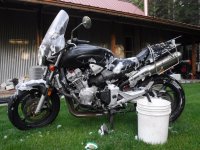


That should be all 9. Vince’s and 650Skull’s always takes a bit of fiddling. I usually upload them to Imgur then paste the BBcode. My problem is, my work has blocked imgur, so I have to do this on my phone. I can't see a bunch of the images here on my work PC, but can on my phone, so hopefully most of you can see them all.
Thanks Bob. I tried that and it works. When I copied the image address before, it was from the thumbnail in his post. Clicking on it first opens the image bigger, then you have to copy the image address, then the insert image icon in the toolbar, and paste the link.@Rich82GS750TZ - OK...Click on his attachment to open it. Right click and click on "copy image address" and then back button.
Now use insert image button, click on the "link" tab, past the address, and get this:
Eventually, we'll figure this out...
I just did the same with yours. Bobs method works great. I don't know why this happens with yours and gustovh's pics when doing the recap. The always need extra attention in the recap.To post a photo I hit "attach files" clic on photo or whatever then add to the post.
To download from a thread I hold hold onto the photo, box come up "download file" photo goes into photo's on the phone.
If I was doing it from my laptop, it would b right click on the mouse. Another way is to drag and drop from a folder, easiest way.
I do not use a hosting site. Have all my pics on a hard drive, either on the computer or external one.
I don't see why you have to uoload it to a hosting site then download to the forum.