• Required reading for all forum users!!!

    Welcome!
    Register to access the full functionality of the GSResources forum. Until you register and activate your account you will not have full forum access, nor will you be able to post or reply to messages.

    A note to new registrants...
    All new forum registrations must be activated via email before you have full access to the forum.

    A Special Note about Email accounts!
    DO NOT SIGN UP USING hotmail, outlook, gmx, sbcglobal, att, bellsouth or email.com. They delete our forum signup emails.

    A note to old forum members...
    I receive numerous requests from people who can no longer log in because their accounts were deleted. As mentioned in the forum FAQ, user accounts are deleted if you haven't logged in for the past 6 months. If you can't log in, then create a new forum account. If you don't get an error message, then check your email account for an activation message. If you get a message stating that the email address is already in use, then your account still exists so follow the instructions in the forum FAQ for resetting your password.

    Have you forgotten your password or have a new email address? Then read the forum FAQ for details on how to reset it.

    Any email requests for "can't log in anymore" problems or "lost my password" problems will be deleted. Read the forum FAQ and follow the instructions there - that's what we have one for...

  • Returning Visitors

    If you are a returning visitor who never received your confirmation email, then odds are your email provider is blockinig emails from our server. The only thing that can be done to get around this is you will have to try creating another forum account using an email address from another domain.

    If you are a returning visitor to the forum and can't log in using your old forum name and password but used to be able to then chances are your account is deleted. Purges of the databases are done regularly. You will have to create a new forum account and you should be all set.

Checking connections

  • Thread starter Thread starter Bonehead
  • Start date Start date
B

Bonehead

Guest
So I have been going through my harness and checking everything is in the correct position and whatnot most are, but now I am just double checking that there are not things just hanging off (I do not have the front/rear turnsignals or lights at all on it ATM) so I am just making sure these are the wires that go to the lights. I have read my wiring diagram, but a some wires do not match and I generally get confused looking at the diagram. So, a little identifying would help me out :D

There is also a large black/white wire up front with a spade connector instead of a bullet in a green jacket (neglected to take a picture :rolleyes:) and I don't know where that goes to. I am assuming it goes to the headlight, but I could be wrong.

Grounds question: Just for the purpose of testing my killswitch/starter, is there anything wrong with having one frame, one engine, and the rest grounds on the battery terminal? If you could point me in the right direction for grounds it would be much appreciated.

No idea haha:
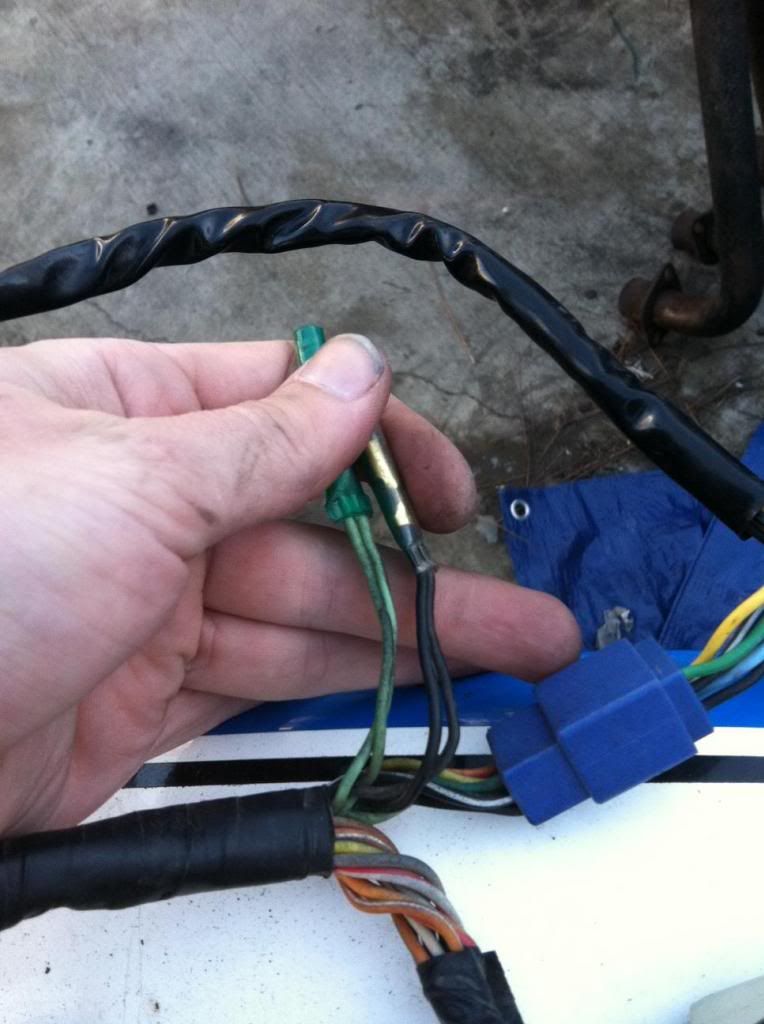
photo11_zps856ea638.jpg


I believe these are the brake lights? (They are up front, in the loom with the RH controls)
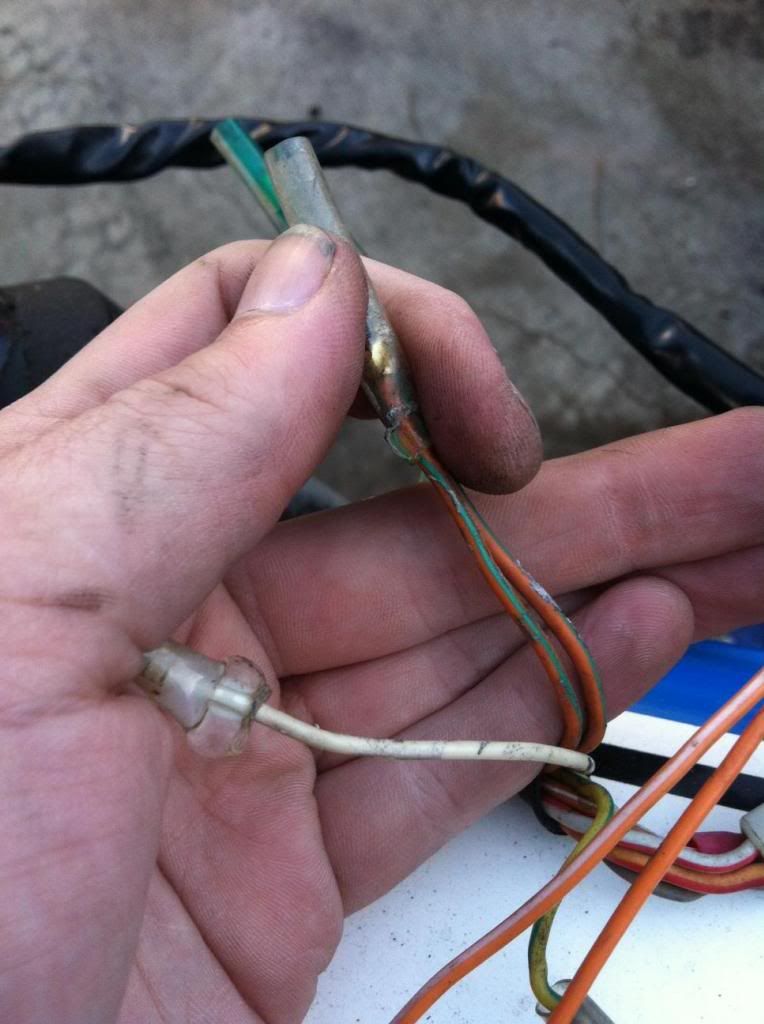
photo21_zpsa88e392b.jpg


Come out right near the coils on the RH side
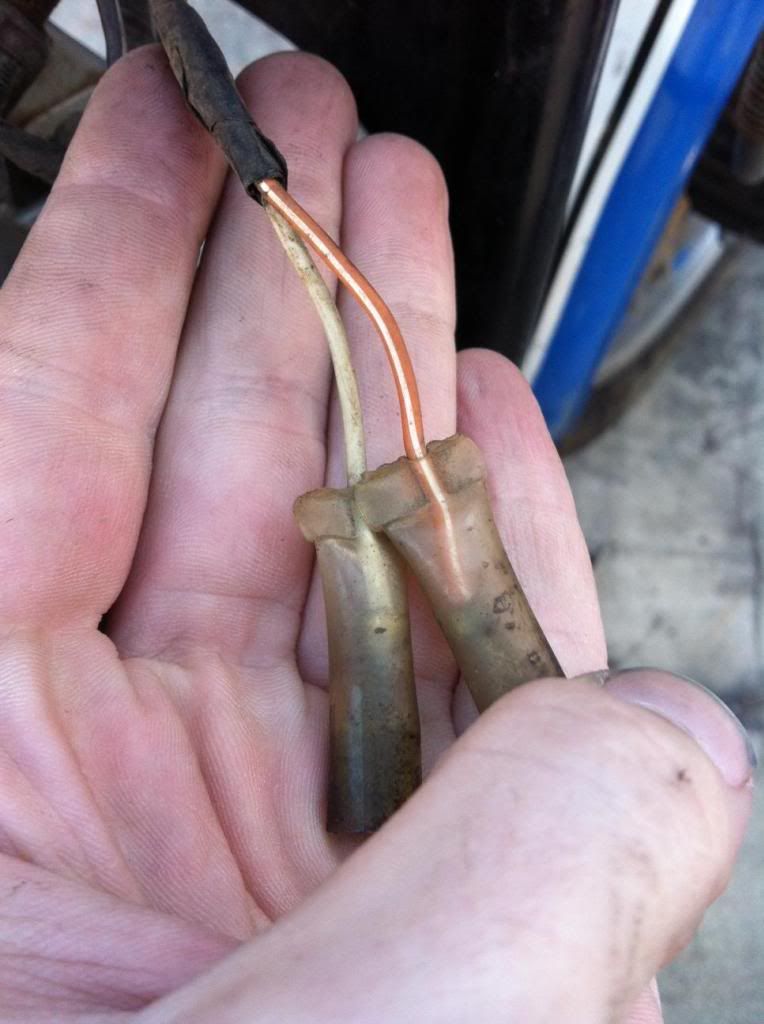
photo4_zpsd2b7e687.jpg
 
Last edited:
I can't help you out on the wiring as such (have only dealt with my 450 so far) but as for grounds, they can all be combined definitely, but make sure there is a good ground from the engine to the battery for the starter motor and a good ground from the battery to the frame. They can stay that way permanently.

If yours is like mine, the indicators ground to the frame so if that ground is no good, they won't flash.
 
Look at your wiring diagram for the colors. Orange/Green is horn. Green & Black are your turn signals. Orange/white & white goes to the coils. It ain't rocket science to figure out where things go, just takes a careful read of the diagram. http://www.mtsac.edu/~cliff/storage/gs/GS650GManual.pdf

BTW, awesome photos!:D What camera do you have?
 
Last edited:
Look at your wiring diagram for the colors. Orange/Green is horn. Green & Black are your turn signals. Orange/white & white goes to the coils. It ain't rocket science to figure out where things go, just takes a careful read of the diagram. http://www.mtsac.edu/~cliff/storage/gs/GS650GManual.pdf

BTW, awesome photos!:D What camera do you have?

Thanks Ed! I just re-read the diagram and figured out where the wires go by zooming in a lot and tracing the wires.

Ya know how people say they have a crappy phone to take pictures? I just use my iPhone :-\\\
 
Back
Top