• Required reading for all forum users!!!

    Welcome!
    Register to access the full functionality of the GSResources forum. Until you register and activate your account you will not have full forum access, nor will you be able to post or reply to messages.

    A note to new registrants...
    All new forum registrations must be activated via email before you have full access to the forum.

    A Special Note about Email accounts!
    DO NOT SIGN UP USING hotmail, outlook, gmx, sbcglobal, att, bellsouth or email.com. They delete our forum signup emails.

    A note to old forum members...
    I receive numerous requests from people who can no longer log in because their accounts were deleted. As mentioned in the forum FAQ, user accounts are deleted if you haven't logged in for the past 6 months. If you can't log in, then create a new forum account. If you don't get an error message, then check your email account for an activation message. If you get a message stating that the email address is already in use, then your account still exists so follow the instructions in the forum FAQ for resetting your password.

    Have you forgotten your password or have a new email address? Then read the forum FAQ for details on how to reset it.

    Any email requests for "can't log in anymore" problems or "lost my password" problems will be deleted. Read the forum FAQ and follow the instructions there - that's what we have one for...

  • Returning Visitors

    If you are a returning visitor who never received your confirmation email, then odds are your email provider is blockinig emails from our server. The only thing that can be done to get around this is you will have to try creating another forum account using an email address from another domain.

    If you are a returning visitor to the forum and can't log in using your old forum name and password but used to be able to then chances are your account is deleted. Purges of the databases are done regularly. You will have to create a new forum account and you should be all set.

Time for a Mini Volt Meter?GDMFr!!!

Buffalo Bill

Forum Sage
Super Site Supporter
Past Site Supporter
The GS just wouldn't be fun, without rolling to a stop by the side of a deserted country road, with a dead battery.
MEH!!!
Well, no need for new parts, the stator connectors slipped off.
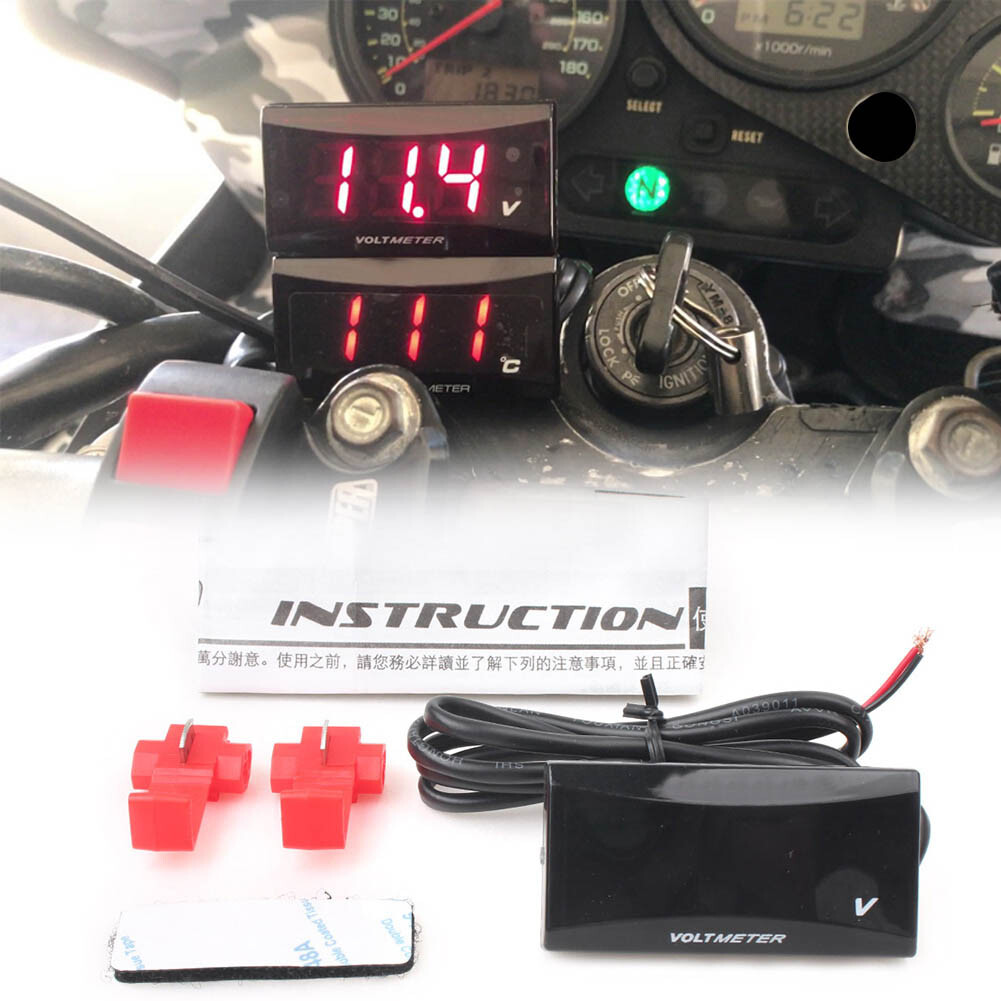
Decided it's way overdue for me to mount a mini voltage meter someplace.
s-l1600.jpg
 
Good reminder-exactly so. I had just a single loose stator connection and knew something was wrong right away from my gauge.
 
Mine are soldered together, gonna need to get pretty hot for those to come apart.
 
Mine are soldered together, gonna need to get pretty hot for those to come apart.
Well, 2 of the connectors do get hot enough to melt the plastic sleeves, more than enough to melt solder. Plus I still want to know when the stator, RR or battery begin to go bad.
 
Last edited:
. Plus I still want to know when the stator, RR or battery begin to go bad.

It's pretty surprising (and annoying) that modern bikes have so much gadgetry and electronics, but no voltmeter.

I'd rather have a voltmeter than a gas gauge, actually. There are several ways I can be reasonably sure of my remaining fuel, but how do you guess when a stator's heading south without an instrument?
 
I bought a volt meter for my bike a while back I'm just not sure where to put it on a stock GS where it won't look weird.
 
That's true^^ There's a lot of ways to "see" if the battery is charging...but a lot of them are not pretty as a retrofit unless you take a gauge apart or have a fairing to glue doodads to. Possibly repurposing an existing lamp in the cluster...similar to the old ALT lamp that went out when the system was charging "forward" would be a help that might be made to work...
(musing) for this "ALT" lamp to show Overcharge (failed regulation) as well is going to want a little more science.

My digital VMs are tiny $2 units and I can stick them on UNDER the handlebar....but you might try somewhere else you can peek at it while riding, if you don't want to see it all the time...jammed somewhere into the harness crap behind the headlamp etc Maybe even put a very small "push switch with a spring" in series with it, so instead of being on all the time you can just push the button to check it when wanted.
 
There's a voltmeter widget that's essentially a multicolored LED with a teensy bundle of electronicals attached that turns the LED different colors (green, yellow, red, flashing red) at different voltages. Great if you want it easily hidden and out of the way.

However, in practice it is probably the most annoying thing ever invented. Even when a GS electrical system is upgraded and functioning perfectly, there's a fair bit of normal and completely harmless voltage variation, mostly when you're idling at a stop light, and especially with the turn signals on. An extra blinkenlight is just maddening.


On my GS, I have an SAE connector powered through a relay that I use with an SAE/USB charging widget for my phone. I simply found a version of the charging widget with a voltage display built in (Amazon, of course). It normally sits where the numbers are slightly hidden so it's not distracting. I check it every so often, and if I suspect an issue I can move it where I can see it.
 
Last edited:
There's a voltmeter widget that's essentially a multicolored LED with a teensy bundle of electronicals attached that turns the LED different colors (green, yellow, red, flashing red) at different voltages. Great if you want it easily hidden and out of the way.

However, in practice it is probably the most annoying thing ever invented. Even when a GS electrical system is upgraded and functioning perfectly, there's a fair bit of normal and completely harmless voltage variation, mostly when you're idling at a stop light, and especially with the turn signals on. An extra blinkenlight is just maddening.


On my GS, I have an SAE connector powered through a relay that I use with an SAE/USB charging widget for my phone. I simply found a version of the charging widget with a voltage display built in (Amazon, of course). It normally sits where the numbers are slightly hidden so it's not distracting. I check it every so often, and if I suspect an issue I can move it where I can see it.
So I should just put velcro on the back, 'til I find the just right spot?
 
So I should just put velcro on the back, 'til I find the just right spot?

Velcro, chewing gum, spit, zip ties, whatever works. On my GS, it's just tucked between some wires and the clutch cable sort of hidden by the handlebar; just happens to work that way.

On my V-Strom (many modern Suzukis share the exact same crapness of the charging systems), I have an voltmeter that's a teensy little box with numbers attached with velcro waaaaay down in the dark behind the fairing. It's sort of behind the headlights, and hardly visible unless you're riding. The darkness down there also helps make the numbers easier to see, but also keeps it out of my normal field of vision, and not distracting.

1st-gen KLRs drool out so little spare electricity that they rarely have charging issues. On mine, I sometimes use the SAE/USB/Voltmeter widget described above, and sometimes just a normal SAE/USB charger.
 
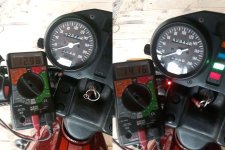
Here's a minimalist production I put together in the shed...a tiny red light that comes on when voltage is above no-charge condition. It's merely the size of a wire with a 12v zener diode tacked on to a red led so it could even be tucked into the gauge at the backlight bulbs....

Led's have various "forward voltage" requirements per their colour. Red are the lowest, I recall, so this one glows dim around 13vdc and nicely as you see above 14vdc.
Zener diodes also have various Breakdown voltages...it's a matter of matching the two to suit preference.
I haven't tested it to "destruction voltage" yet, which would indicate OVER voltage- a regulation failure which is also important, albeit not so common.
It'd need more "fiddley-bits" work in opposite mode(OFF when charging like a car's ALT lamp) and then it gets into casings and soldering which gets pretty ugly when I homebuild bugs like this. Something Nice might already exist, too.test-zener+LED-Chargelight-20190628.jpg

PS 12.98 is not the resting voltage of this battery. It is showing surface charge from a previous startup and will soon fall to the usual 12.3 of this half-clapped battery...
 
Last edited:
Lotta very good ideas here. Voltage specific diodes get the minimalist award, Gorminrider.
An accurate meter will tell over and under voltage, with human monitoring it can help track slow degradation of the charging system.
 
Yes, exactly. I do prefer the little digi meter ugly as it is....it seems to do more than the obvious with its behaviour...

An additional thought- I admit these can be a pest at night... maybe too bright, so in the event , dulling them out in some way( a switch, tape, a bit of white plexi or a paper gum wrapper) can save you ripping it off in frustration if you discover this some night.
Green is said to be preferable to might vision by some but I haven't found it so.
 
Today I wired up a socket charger to my 1982 GS650G, from handbar to auxiliary fuse box port and then inserted my recently bought plug in combo USB charger and volt meter. I bought this setup to I can monitor my volts on the move, and charge my cell phone. So far so good, 12.5 - 12.8 V in idle, peaking over 17 at 4,000 rpm and up.

17 V sounds like a lot. It's at the fuse box, not the battery.
 
Last edited:
Admiral, I'm afraid you have a bad voltage regulator. 17V is far too high.
 
That's gonna roast a battery real fast! Probably dipping acid out the drain hose when you get home, if it's a wet cell.
No problems so far. I have noticed my headlight drops a little when I apply the brake, which led me to get the volt meter. But I’ll get the multimeter out and test the volts at the battery poles. Maybe my Chinese socket charger or the accessory connection at the fuse box is off. Is it possible that the voltage to the fuse box is higher than what goes to the battery?

First things first though, working on sheered hub splines.
 
Last edited:
Back
Top